Reads detector/controller BLE packet data and turns it into usable workflow signals.
XP Deus II Companion | Android Product
XpZeusTool
A field-first Android companion built around BLE-grounded metrics, saved signatures, replay, map-backed notes, and product honesty. XpZeusTool is designed to help users work with the signal data they have, not with invented certainty.
Why The Product Feels Real
It connects field UX, premium flows, screenshots, public support pages, and live backend truth.
This page is not just a feature list. It shows the product as a coherent system: how the app looks, how release data is exposed, how Google Play verification is wired, and why that matters for trust.
Signal
BLE-grounded workflow instead of invented target certainty.
Product
Replay, signatures, maps, notes, and premium gating in one build.
Public Layer
Website, privacy, version API, and support surface aligned with the app.
Live Product Snapshot
A quick read on the same release surface that supports rollout, buyer trust, and ongoing support.
Version
v1.0.15 (15)
Release
stable / completed
Entitlement
Configured
Product Scope
XpZeusTool is built around real workflow value, not speculative features.
The product focuses on BLE packet interpretation, clear field feedback, saved learning, and supporting research flows. It explicitly avoids claims about exact material identity or guaranteed target truth that cannot be supported by the signal.
Built for live interpretation, not back-office reporting only.
Google Play purchase checks are wired into the backend so premium flows are anchored to a live verification path.
Public project page, privacy page, live config, and version API packaged around the app.
Live Release Snapshot
This block is rendered from the same backend release data the app uses.
Instead of treating the public page like a disconnected brochure, the site now mirrors live release facts coming from the backend and Google Play sync layer.
Release State
- Version name: 1.0.15
- Version code: 15
- Channel: stable
- Force update: Enabled
Google Play Sync
- Release status: completed
- Release label: 1.0.15
- Last fetch: 2026-04-16T20:24:44+00:00
- Sync error: none
Backend Flags
- Entitlement configured: Yes
- Maintenance mode: Off
- Version API: live
- Config API: live
What It Really Does
- Reads BLE packet data exposed by the detector and controller workflow.
- Builds honest metrics from TID history, soil, lock quality, drift, spread, and packet health.
- Compares live signals against saved signatures for repeatable interpretation.
- Stores finds, notes, measured depth, and field learning data from confirmed digs.
Premium Value
- Signature Library
- Replay Player
- Pro Dashboard
- Cloud backup and research workflow
- Focused feature gating backed by live Google Play verification
Backend Status
The live backend exposes version, config, feedback, and user-sync APIs around the app. Google Play purchase verification is now wired into the backend and the runtime health checks report it as configured.
That keeps the product technically defensible: release sync, purchase checks, and field support flows all point to the same live system.
Product Showcase
Real screens show the product much faster than feature claims alone.
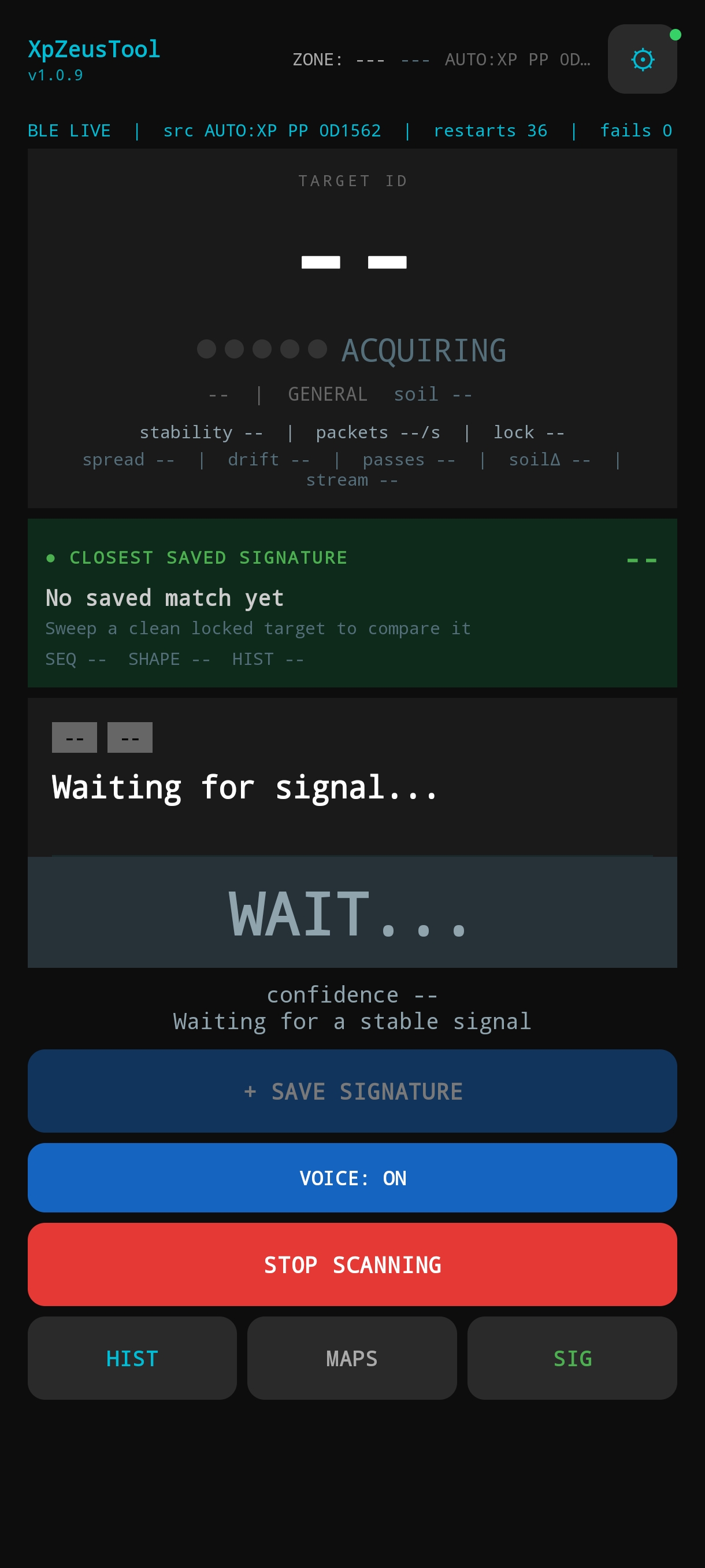
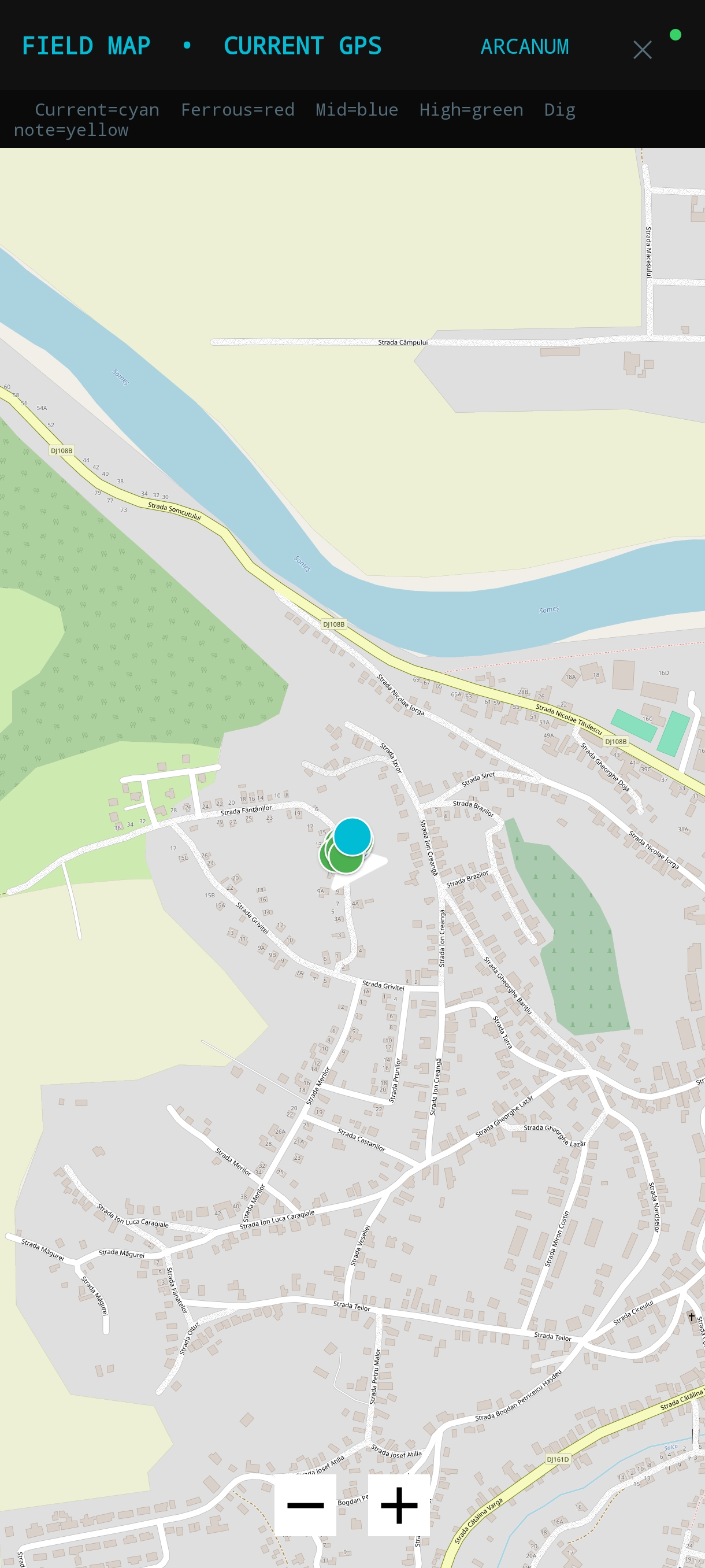
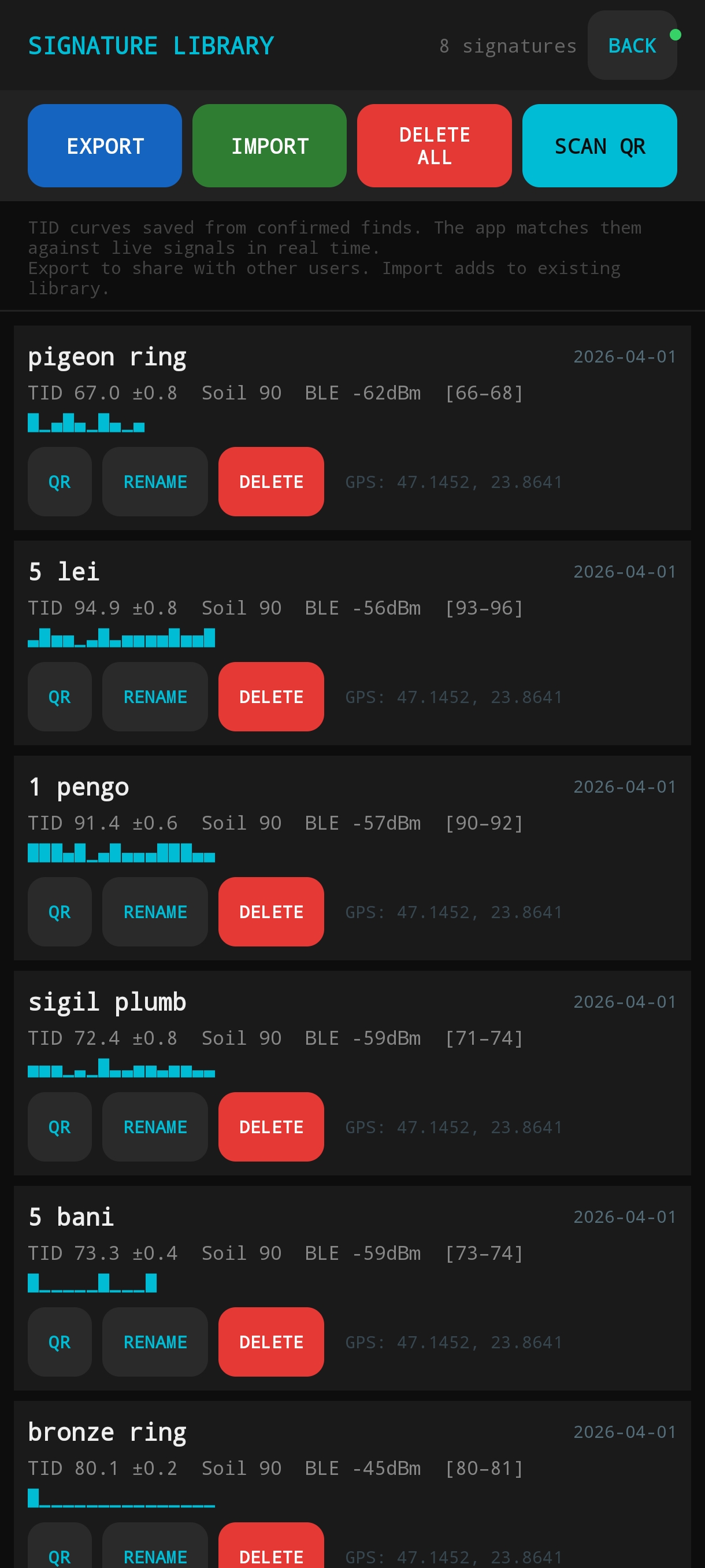
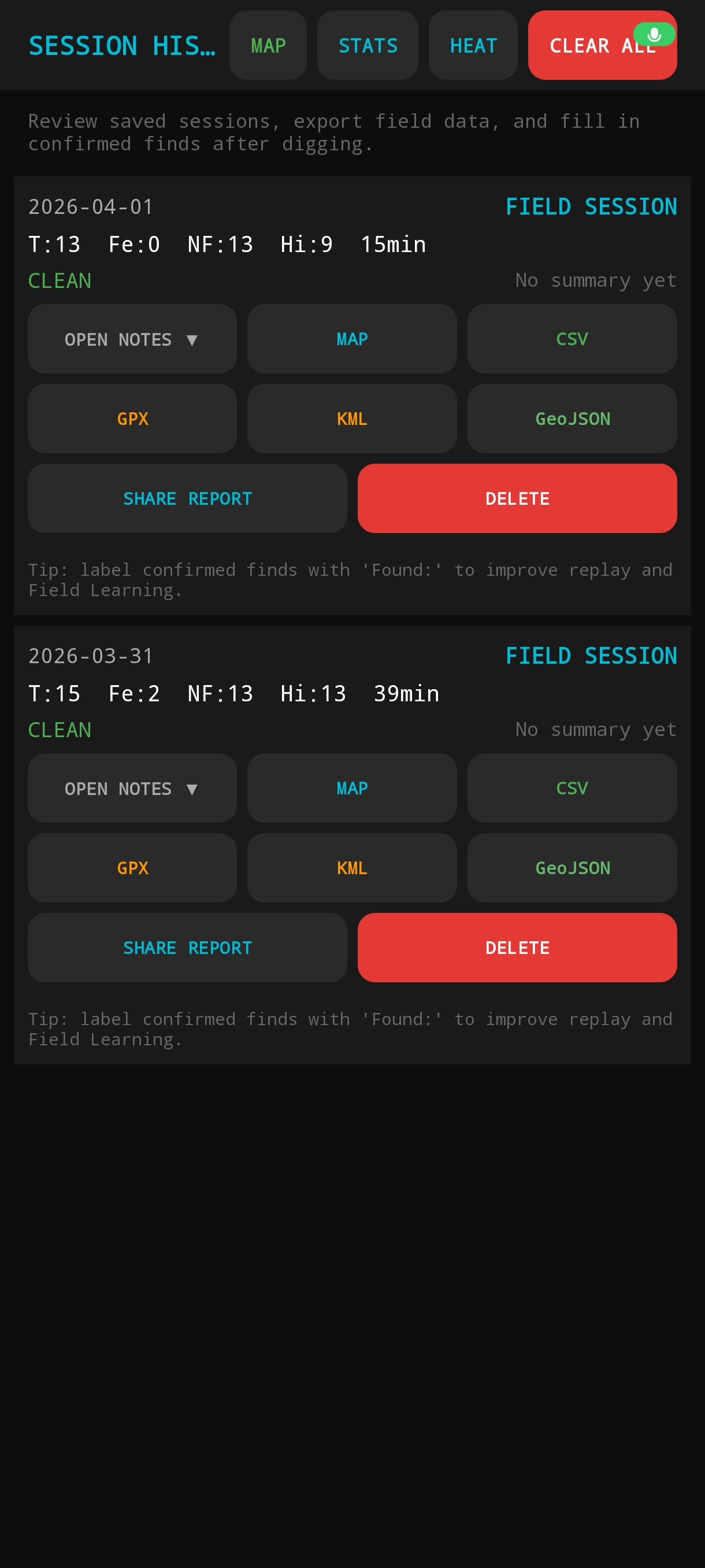
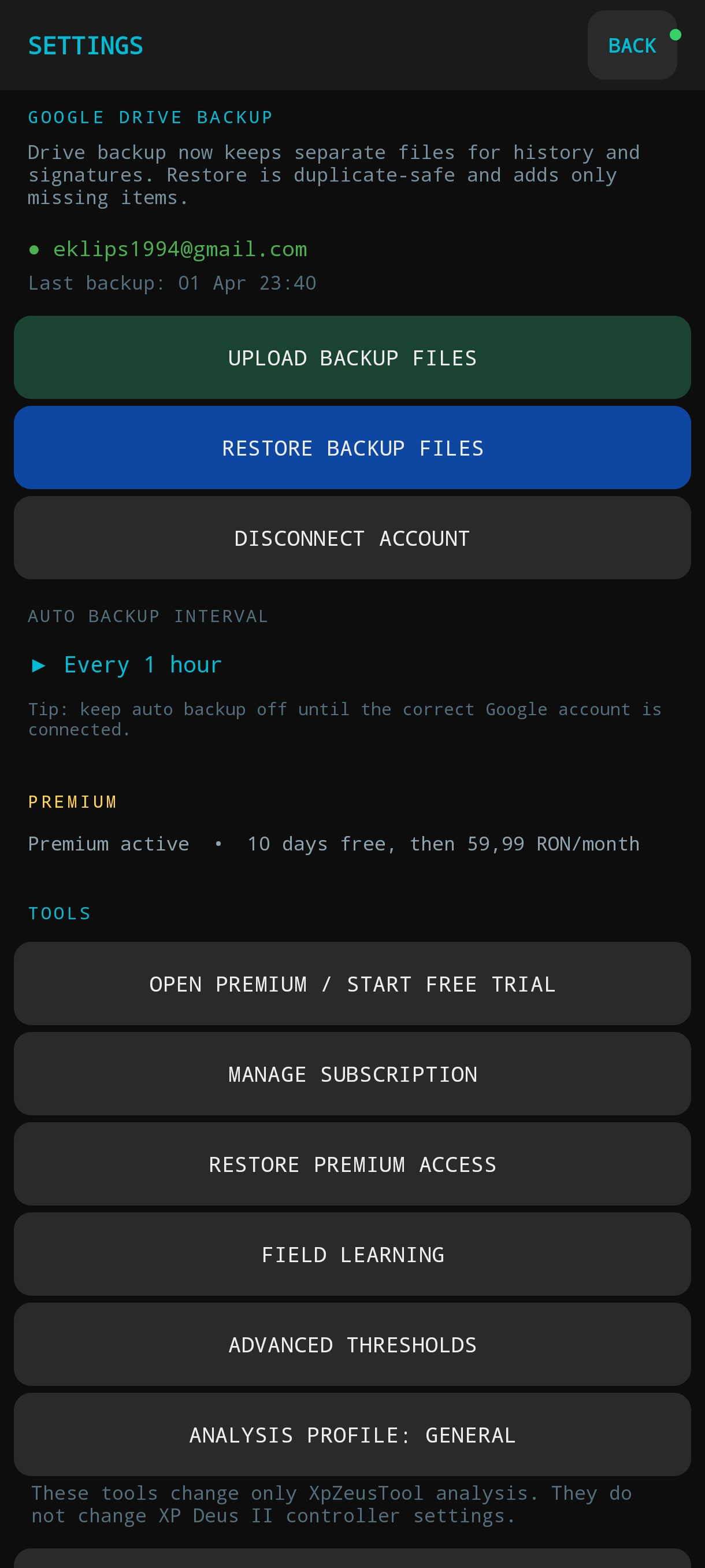
These screenshots come directly from the current Android build. They make the product concrete: live scan interpretation, field maps, saved signatures, session history, and dense operational settings.
Why This Matters
- The main screen is clearly a live-use operator interface, not a decorative dashboard.
- Maps, signatures, and history show a real workflow product with depth beyond a single scan screen.
- The settings density makes the app legible as a specialist tool built for repeated field use.
- For buyers, reviewers, and partners, these screens remove ambiguity about what the app actually does.
Production Context
Google account access is used for optional Drive backup and restore inside the app. The homepage, screenshots, privacy policy, version endpoint, and live backend verification all point to the same concrete product instead of a vague brand-only page.
Case Study Value
The app also works as proof that Strohalm Studio can ship a complete specialist product.
For buyers, the important point is not the hobby domain. The important point is the delivery pattern: Android product architecture, explainable metrics, premium structure, support pages, deployment assets, and honest technical positioning.
Need a companion app, workflow tool, or field-first Android product?
Strohalm Studio is available for Android products, device-aware workflow systems, diagnostics tooling, and practical support layers around a real operational constraint. If your business needs a focused product build, this page is here as evidence of the level of execution.
The strongest fit is work that needs product judgment, technical honesty, and a clean path from concept to working release, especially when hardware, operators, field conditions, or paid access logic are involved.
Best Client Fit
- Founders building a specialist Android tool
- Teams needing a focused operational app
- Workflows involving BLE, sensors, or field data capture
- Products that need supporting web and release structure
Delivery Bias
Scope stays tight, claims stay honest, and the build is shaped around the first version that creates real value. That is the same principle behind both the studio homepage and this project page.
Useful Starting Points
- Companion apps for equipment or sensor-based workflows
- Internal Android tools for operators in the field
- Premium feature structures that need defensible access control
- Product pages and support layers that match the real app